
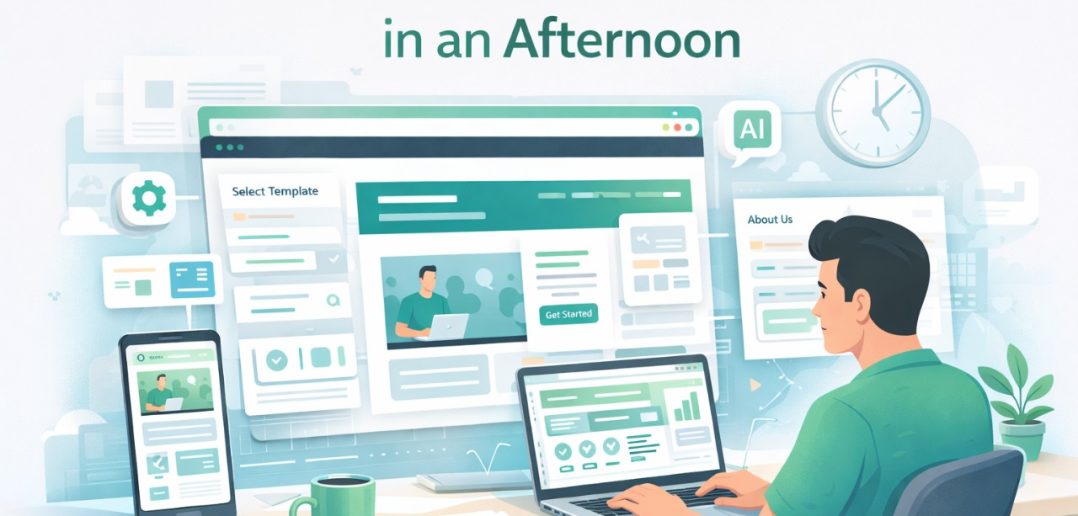
Launching a website used to be a project.
Now it’s a session.
A few years ago building a website meant coordinating developers, designers, hosting providers, and content writers. It could take weeks before anything went live.
Today, a small business owner can plan, design, write, and publish a website in a single focused afternoon.
No coding required.
No development team required.
What changed isn’t just the tools.
It’s the process.
When you remove complexity and focus only on the pages a business actually needs, building a website becomes surprisingly fast.
This guide breaks down how to launch a professional website in just a few hours, even if you have never built one before.
Article Summary
Building a website no longer requires weeks of development. With modern website builders, templates, and AI-assisted tools, beginners can create and launch a professional website within a few hours. This guide walks through the exact steps required to plan the structure, create content, design pages, and publish a website quickly without technical expertise.
Key Takeaways
• A professional website can be launched in a single afternoon
• Most small business websites only need 4–5 pages
• Website builders eliminate the need for coding
• AI tools can accelerate content creation
• Publishing quickly allows businesses to start building online visibility
Why Websites No Longer Take Weeks to Build
Website development used to be a technical process.
Developers wrote code.
Designers created layouts.
Writers produced content.
That workflow made websites expensive and slow to build.
Modern website builders changed that completely.
Platforms like WordPress, Wix, Squarespace, and Webflow provide ready-made design systems that allow users to create pages visually.
Instead of coding a website from scratch, you simply:
Choose a template
Customize sections
Add your content
Publish
The technical barrier has largely disappeared.
What matters now is clarity about the structure of your website.
Step 1: Decide What Your Website Needs to Do
Before opening a website builder, take a few minutes to define the goal of the website.
Every website should have a clear purpose.
Examples include:
Generating leads
Promoting a local business
Selling products
Showcasing a portfolio
Building credibility
Trying to build a website that does everything often leads to confusion.
Simple websites work best.
When visitors understand what the business offers within a few seconds, they are far more likely to take action.
Step 2: Choose a Website Builder
The fastest way to build a website today is with a no-code platform.
Some of the most popular options include:
WordPress
Wix
Squarespace
Webflow
Each platform offers templates that significantly speed up the process.
Instead of designing every element from scratch, you start with a layout that already works and customize it to match your brand.
For beginners, simplicity matters more than advanced features.
Choose a platform that allows you to move quickly without getting lost in technical settings.
Step 3: Plan the Pages You Actually Need
Many first-time website builders assume they need dozens of pages.
In reality, most small business websites only need a few core pages.
A simple structure typically includes:
Home page
About page
Services or products page
Contact page
Optional blog page
This structure provides everything a visitor needs to understand the business and get in touch.
More pages can always be added later.
Starting simple allows you to launch faster.
Step 4: Write Clear Website Content
Website copy should focus on clarity.
Visitors are usually trying to answer three questions:
What does this business do?
Who is it for?
How do I contact them?
Short paragraphs work better than long blocks of text.
Headlines should communicate value quickly.
Instead of describing every detail, focus on:
Benefits
Services offered
Proof and credibility
Clear calls to action
AI writing tools can help create first drafts, but reviewing and editing the content ensures it sounds natural and human.
Step 5: Add Visual Elements
Design plays an important role in how professional a website feels.
Fortunately, modern website builders include pre-designed visual sections.
You can add:
Images
Icons
Service cards
Testimonials
Call-to-action sections
Consistency matters more than complexity.
Using a limited color palette, clean typography, and simple layouts often produces better results than overly complicated designs.
Step 6: Add Basic SEO Settings
Even a simple website should include basic search engine optimization.
These elements help search engines understand what your website is about.
Start with:
Page titles
Meta descriptions
Clear headings
Relevant keywords
Mobile-friendly design
These small optimizations help search engines index your website correctly and improve discoverability.
Step 7: Publish Your Website
Many people delay launching their website while trying to perfect every detail.
This often slows progress unnecessarily.
A website does not need to be perfect before publishing.
Once the key pages are ready, launch it.
You can always:
Improve design
Add more content
Optimize pages
Expand features
The most important milestone is getting your website online.
From that moment forward, it becomes a platform you can improve continuously.
Why Speed Matters
The biggest advantage of building a website quickly is momentum.
Small businesses often postpone launching their online presence because they assume the process will be complicated.
But a website created in a few hours can already begin generating visibility and inquiries.
Instead of waiting months to build the perfect site, launching early allows you to start learning what works.
The businesses that succeed online are rarely the ones with perfect websites.
They are the ones that start sooner and improve faster.
FAQs
Can beginners really build a website in one afternoon?
Yes. With modern website builders and templates, beginners can launch a basic website within a few hours.
What pages should a simple website include?
Most websites only require a home page, about page, services page, and contact page.
Do I need coding skills to build a website?
No. Website builders allow users to design pages visually without writing code.
How much does it cost to build a website?
Basic websites can cost between $10 and $30 per month depending on hosting and the platform used.