When someone needs a local service, they rarely start with a website.
They start with Google.
A search like “plumber near me,” “dentist in Austin,” or “best coffee shop downtown” usually shows something before traditional search results appear.
The Google Map Pack.
Three businesses.
Ratings.
Directions.
Call buttons.
And most customers never scroll past it.
If your business appears there, you get calls. If it doesn’t, your competitors do.
That’s why Google Business Profile optimization is one of the most important parts of local SEO today.
But here’s the issue.
Many businesses create a profile and leave it alone.
They add their address, phone number, and maybe a few photos.
Then they wonder why they never appear in local search results.
Your Google Business Profile isn’t just a listing.
It’s a local search ranking asset.
And when optimized properly, it can become one of your biggest sources of leads.
In this guide, you’ll learn exactly how to optimize your Google Business Profile to improve visibility, attract local customers, and generate more calls.
Article Summary
Google Business Profile (GBP) helps businesses appear in Google Search and Google Maps results.
When someone performs a local search, Google often shows a map pack with three businesses. These listings drive a significant share of local traffic and phone calls.
This guide explains how Google Business Profile works and how to optimize it for better rankings.
You’ll learn how to choose the right business category, optimize your profile details, improve local visibility, collect reviews, and build trust with potential customers.
By the end of this guide, you’ll understand how to turn your Google Business Profile into a consistent source of local leads.
Key Takeaways
- Google Business Profile is one of the strongest ranking factors for local search visibility.
- Businesses that optimize their profiles consistently tend to receive more calls and visits.
- Reviews, business categories, and profile completeness heavily influence rankings.
- Consistent updates, photos, and posts improve engagement and credibility.
- Local SEO success depends on both your Google profile and your website working together.
- Businesses that treat their Google listing as a marketing asset outperform competitors who ignore it.
What Is Google Business Profile?
Google Business Profile is a free tool that allows businesses to manage how they appear in Google Search and Google Maps.
When someone searches for a local service, Google tries to show the most relevant businesses nearby.
Instead of sending users to websites immediately, Google first displays a map pack with local listings.
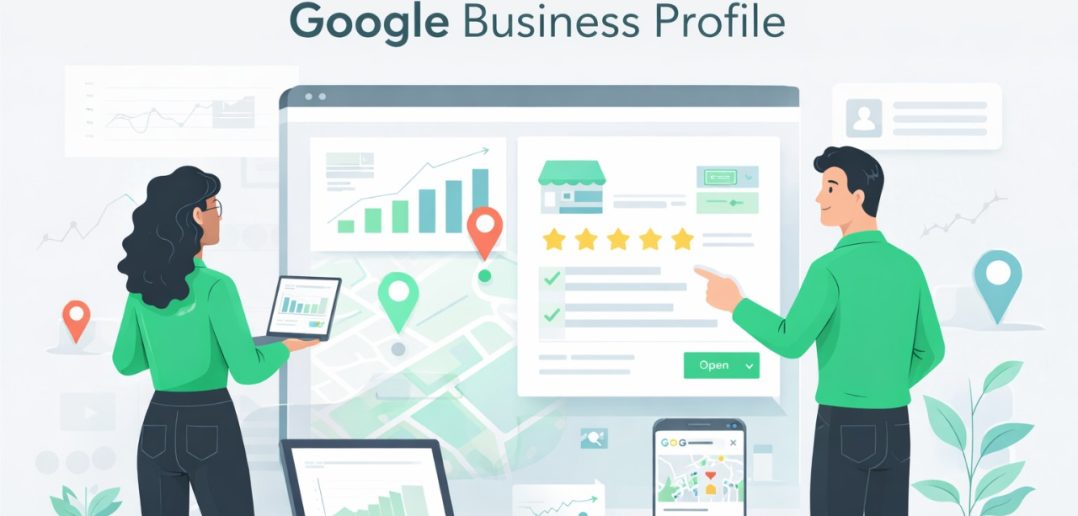
Each listing typically shows:
- Business name
- Ratings and reviews
- Address
- Phone number
- Website link
- Directions
For many local businesses, these listings generate more calls than their website.
That’s why Google Business Profile optimization is a critical part of local marketing.
Why Google Business Profile Optimization Matters
Local search behavior has changed dramatically over the past decade.
People no longer browse through multiple pages of search results.
They look for the fastest answer.
Google understands this behavior.
So when someone searches for a local service, it prioritizes businesses that provide complete, trustworthy, and relevant information.
This means businesses that actively optimize their Google profiles often receive:
- higher visibility in map results
- more customer calls
- more direction requests
- stronger local brand credibility
Ignoring your Google Business Profile means leaving one of the most powerful local marketing channels untouched.
How Google Business Profile Rankings Work
Google evaluates several signals when deciding which businesses appear in local results.
The three primary ranking factors are:
Relevance
Relevance measures how closely your business matches what someone is searching for.
If someone searches for “emergency plumber,” Google looks for profiles that clearly indicate plumbing services.
Your categories, services, and business description help Google understand what your company offers.
Distance
Google also considers how close your business is to the searcher.
Local search is heavily location-based.
If someone searches “coffee shop near me,” businesses closer to the user are more likely to appear.
Prominence
Prominence refers to how well-known and trusted a business is.
Google evaluates signals like:
- online reviews
- mentions across the web
- backlinks
- overall brand authority
Businesses with strong reputations and consistent online presence tend to rank higher.
Step 1: Create or Claim Your Google Business Profile
Before optimizing anything, you need to ensure your business profile exists.
Visit Google Business Profile Manager and search for your business name.
If a listing already exists, claim it.
If not, create a new one.
You’ll be asked to provide basic information such as:
- business name
- address
- phone number
- website
- category
Once you complete the setup, Google will ask you to verify the business.
Verification typically happens through:
- phone
- postcard
- video verification
After verification, your listing becomes eligible to appear in Google results.
Step 2: Choose the Right Business Category
Your business category is one of the most important ranking signals in Google Business Profile.
Yet many businesses select categories randomly.
Instead, study what top-ranking competitors are using.
Search your primary service on Google.
For example:
“dentist near me”
Look at the top listings in the map pack.
If most of them use Dental Clinic as the primary category, that’s a strong indicator it’s the most relevant category.
You can also add secondary categories to describe additional services.
For example:
- cosmetic dentist
- emergency dental service
- orthodontist
These additional categories help Google understand the full scope of your services.
Step 3: Complete Every Section of Your Profile
Google prefers listings that provide complete and accurate information.
An incomplete listing looks less trustworthy to both Google and customers.
Make sure your profile includes:
- business name
- phone number
- website
- service areas
- business hours
- services offered
- business description
The goal is simple.
Remove uncertainty for potential customers.
When someone finds your listing, they should immediately understand:
- what you do
- where you operate
- how to contact you
Step 4: Optimize Your Business Description
Your business description is an opportunity to tell customers what makes your company different.
But it also helps Google understand your services.
Use clear language that naturally includes relevant keywords.
For example:
“ABC Plumbing provides emergency plumbing services in Chicago including leak repair, pipe replacement, and drain cleaning.”
Notice how the location and service are clearly mentioned.
Avoid keyword stuffing.
Focus on clarity and relevance.
Step 5: Add High-Quality Photos
Profiles with photos receive significantly more engagement than profiles without them.
Photos help customers visualize your business and build trust.
Add images such as:
- storefront photos
- interior photos
- team photos
- service examples
- before-and-after work
For service businesses, showing completed projects can significantly increase credibility.
Regularly adding new photos also signals activity to Google.
Step 6: Add Services and Products
Google allows businesses to list individual services or products directly inside the profile.
Each service entry can include:
- service name
- description
- pricing (optional)
This helps Google better understand your offerings.
It also helps potential customers quickly find the exact service they need.
For example:
Drain Cleaning Service
Professional drain cleaning for clogged sinks, showers, and sewer lines.
Step 7: Publish Google Posts
Google Business Profile includes a feature called Google Posts.
These posts allow businesses to share updates directly in their listing.
You can post:
- promotions
- company announcements
- events
- new services
Posting regularly keeps your profile active.
It also shows potential customers that your business is engaged and current.
Step 8: Encourage Customer Reviews
Reviews are one of the strongest trust signals in local search.
They influence both rankings and customer decisions.
Businesses with more positive reviews often receive more calls.
Encourage satisfied customers to leave reviews.
You can do this by:
- sending follow-up emails
- sharing your review link
- asking customers after a successful service
Responding to reviews also matters.
Replying to both positive and negative feedback shows that you care about customer experience.
Step 9: Maintain Consistent Business Information
Your business information should be consistent across the internet.
This includes your:
- name
- address
- phone number
If directories show different information, Google may lose confidence in your listing.
Consistency across platforms strengthens your local SEO presence.
Common Google Business Profile Mistakes
Many businesses fail to see results because of simple mistakes.
Some of the most common include:
- choosing the wrong category
- leaving profiles incomplete
- ignoring customer reviews
- rarely updating the profile
- using low-quality photos
Treat your Google profile like a living marketing asset, not a static listing.
Businesses that maintain active profiles usually perform much better in local search.
FAQs
What is Google Business Profile?
Google Business Profile is a free platform that allows businesses to manage how they appear in Google Search and Google Maps.
Why is Google Business Profile important?
It helps businesses appear in local search results and the Google Map Pack, which drives phone calls and customer visits.
How long does it take to rank in Google Maps?
Ranking depends on factors such as competition, reviews, profile optimization, and local SEO signals.
Do reviews affect Google Business Profile rankings?
Yes. Reviews influence both trust and visibility. Businesses with strong ratings and frequent reviews tend to perform better.
Conclusion
Local search is no longer just about websites.
For many businesses, the first interaction a customer has with the brand happens directly inside Google Maps results.
Your Google Business Profile acts as a digital storefront.
It tells potential customers who you are, what you offer, and why they should choose you.
Businesses that treat their profile as a simple listing miss the opportunity.
Businesses that actively optimize and maintain it turn it into a powerful source of leads.
The difference often comes down to attention.
Optimize it properly, stay active, and your Google Business Profile can become one of the most valuable marketing assets your business owns.